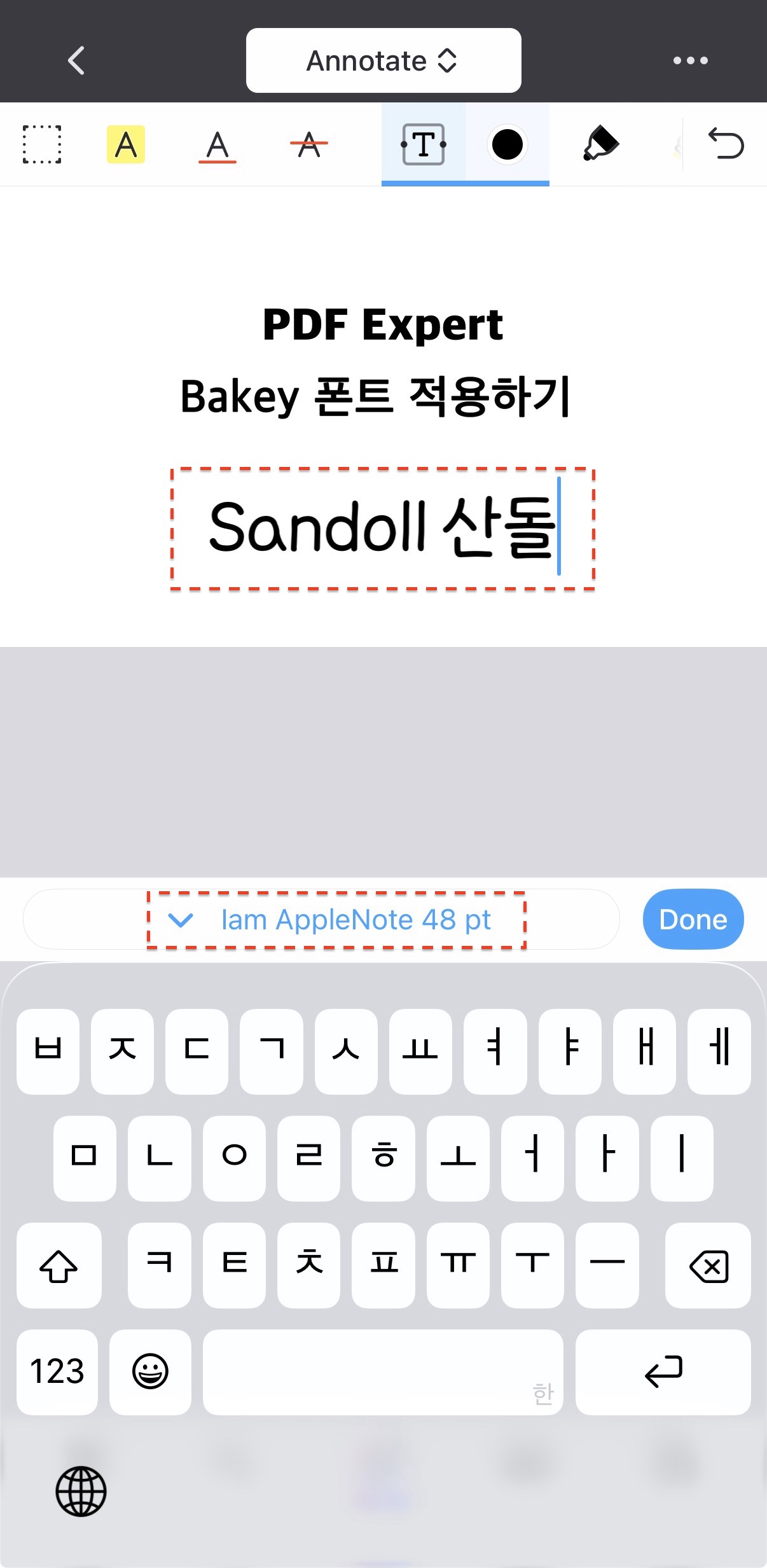
Before launching the PDF Expert app, please activate the fonts you want to use in the app.
If you have any troubleshooting questions, please check the FAQ.
1️⃣ Installing Fonts
Install the desired fonts from the Bakey app.
2️⃣ Installing and Launching PDF Expert
Install and launch the PDF Expert app on your iPhone.
3️⃣ Select a Document
Select the document you want to edit or create.
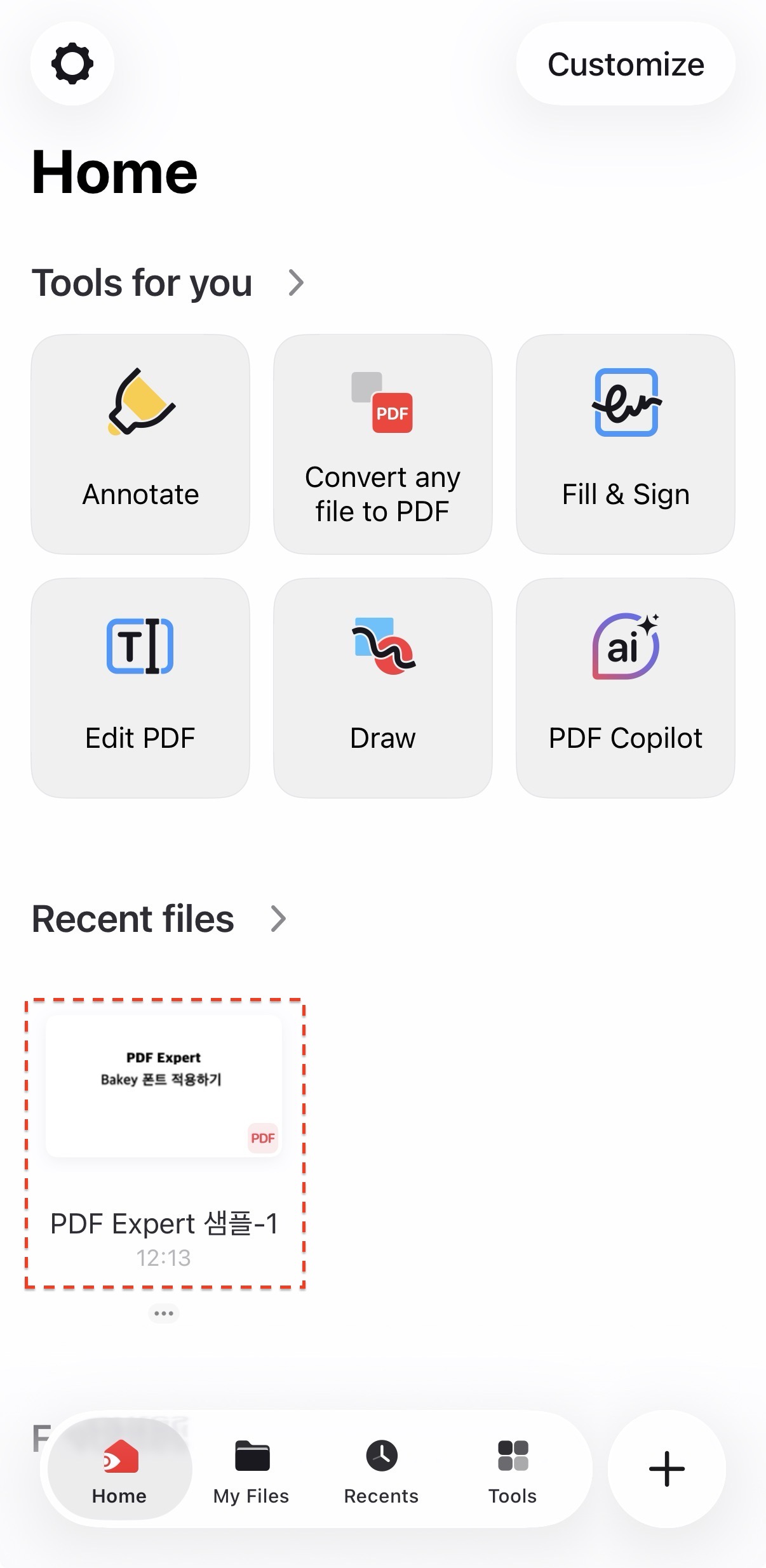
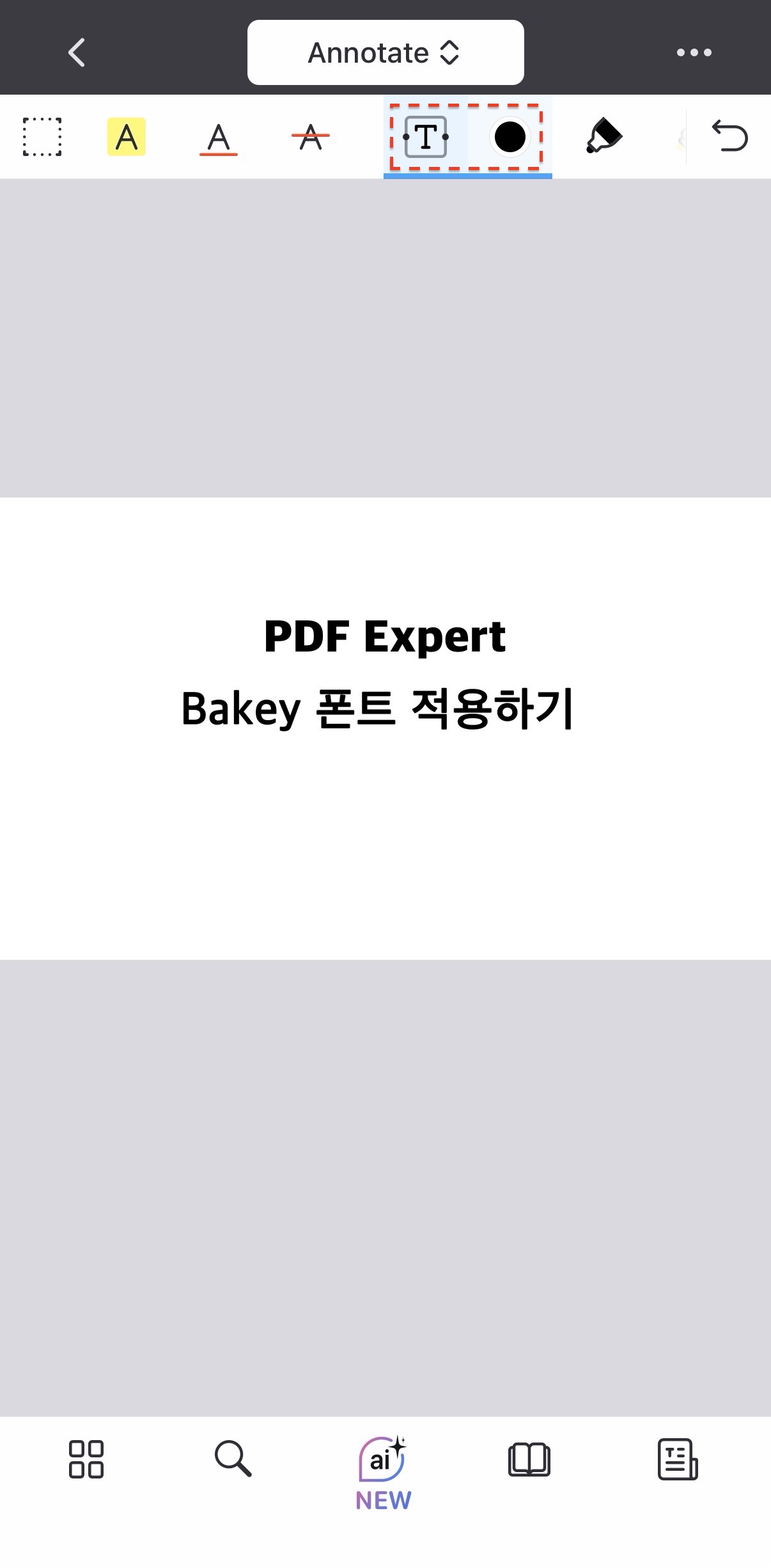
4️⃣ Select the Text button
Select the Text button and color.
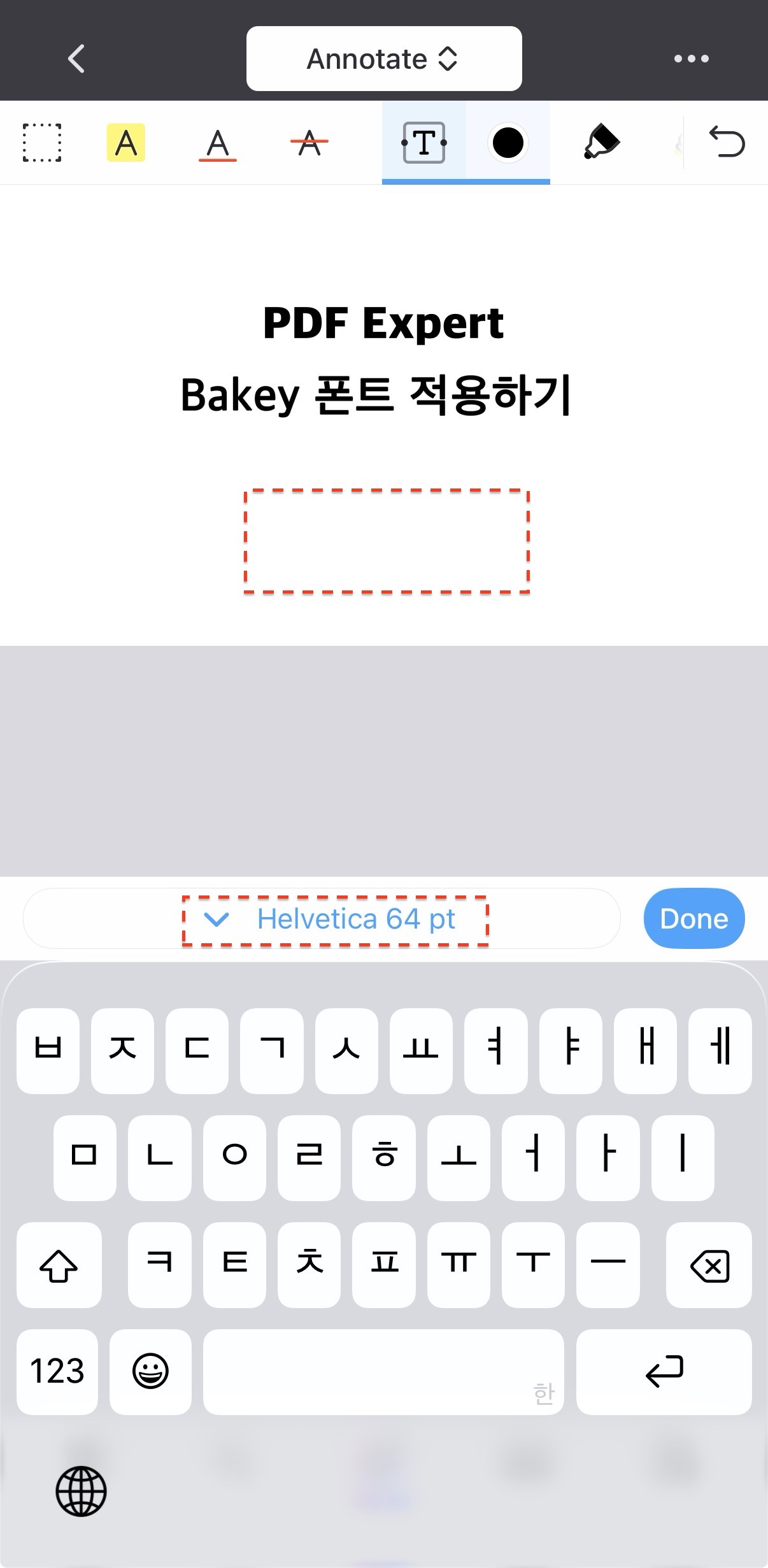
5️⃣ Select the Text Input Area
Touch the location where you want to enter text.
A field for setting the font will appear.
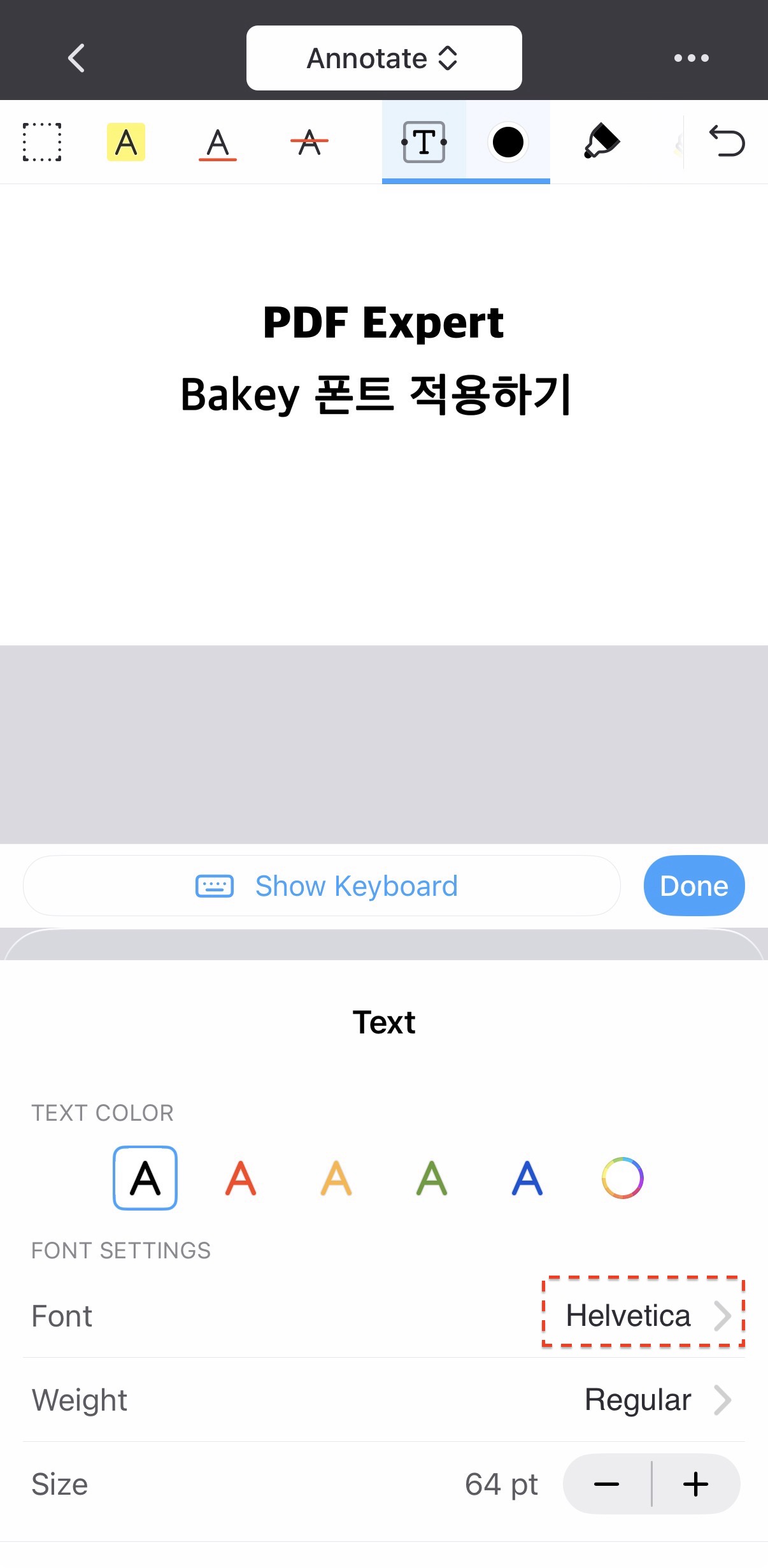
6️⃣ Selecting a Font - 1
Select the font name in the "Font" area.
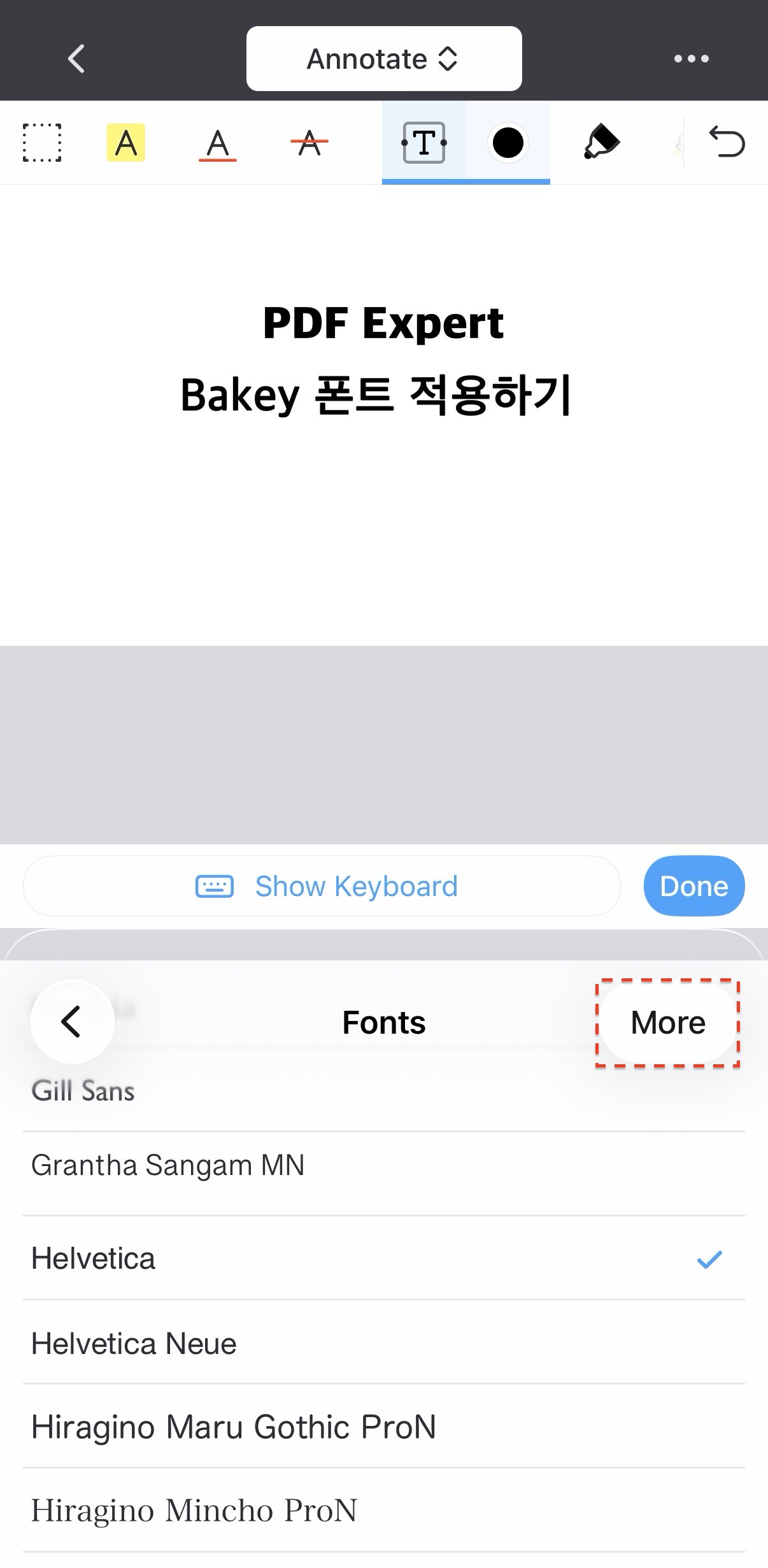
7️⃣ Selecting a Font - 2
Select the "More" button.
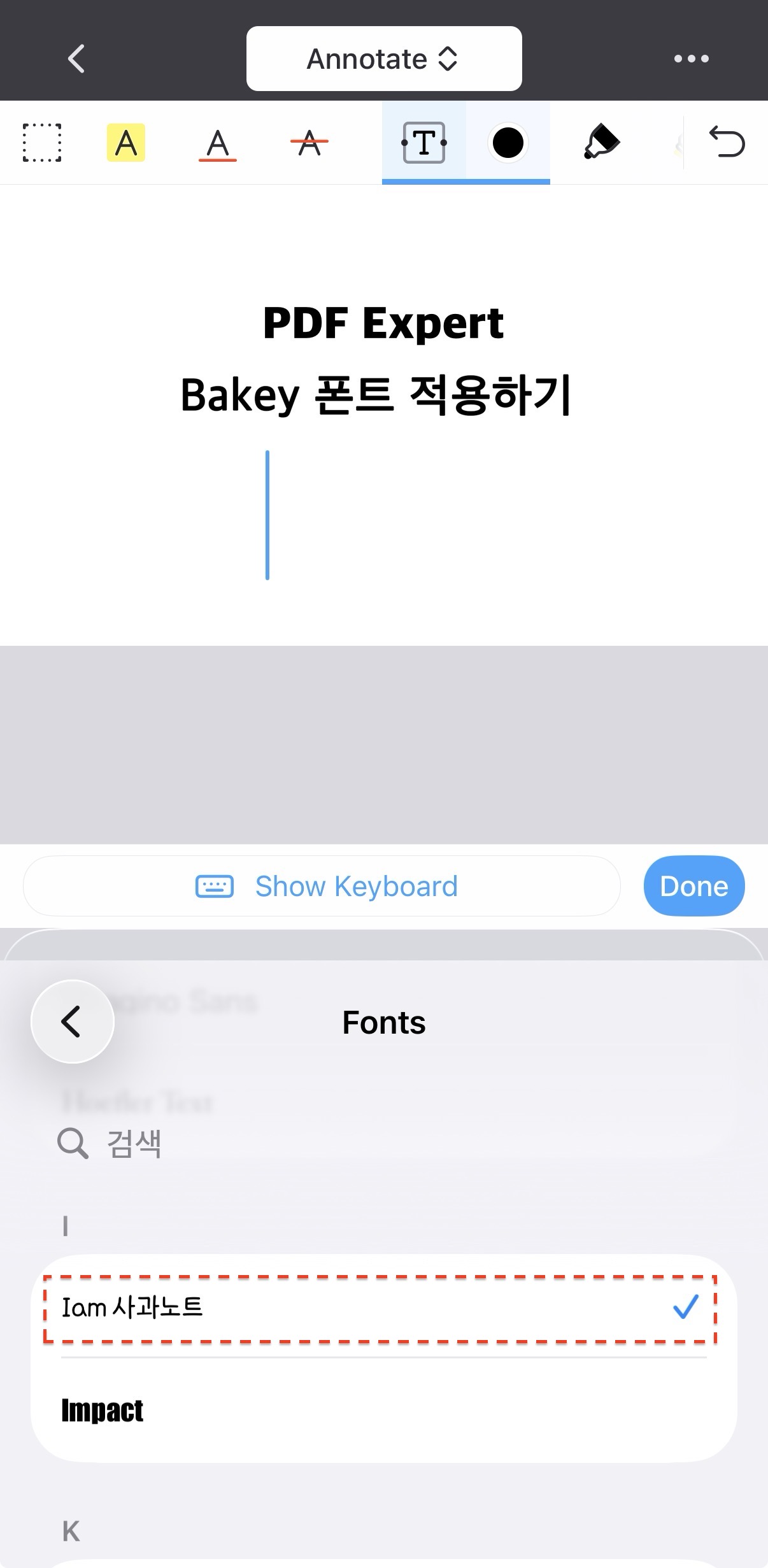
8️⃣ Selecting a Font - 3
Now, you can select all the fonts installed in Bakey. Select your desired font.
9️⃣ Writing Content
Enter your text. You'll see it appear in the font you selected.
Now, enrich your content with a variety of fonts!